- To gain access to email on your Smart phone you must first enroll in DUO
- Go to Gapweb
- Click on Corp Services then click on Computer - System Access Tools

- Click on CIA

- Click the menu

- Click Manage Application Access

- Select Self
- If you are submitting the request for someone else click Others
- Enter the name of the person you are submitting the request for
- Click the box next to the persons Network ID that needs the access
- Click Next
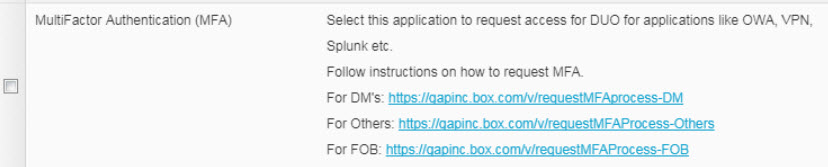
- Enter mfa in the Find Application field then click Find Application
- Check the checkbox next to “MultiFactor Authentication(MFA)”

- Click Next
- Click Click here to add additional info
- Click the Requestee name
- Select Soft Token
- Select your Device Type
- Enter your Mobile Phone Number
- Select your Platform
- Click Save

- Click Add Business Justification
- Enter the business justification then click Add Comment

- Click Submit
I need email access on my Smart Phone (DUO)
Last Updated: 2887d